 Moondraft
The infinite canvas for AI image & video
One endless canvas where style holds, characters stay consistent, and every shot lives in the same world.
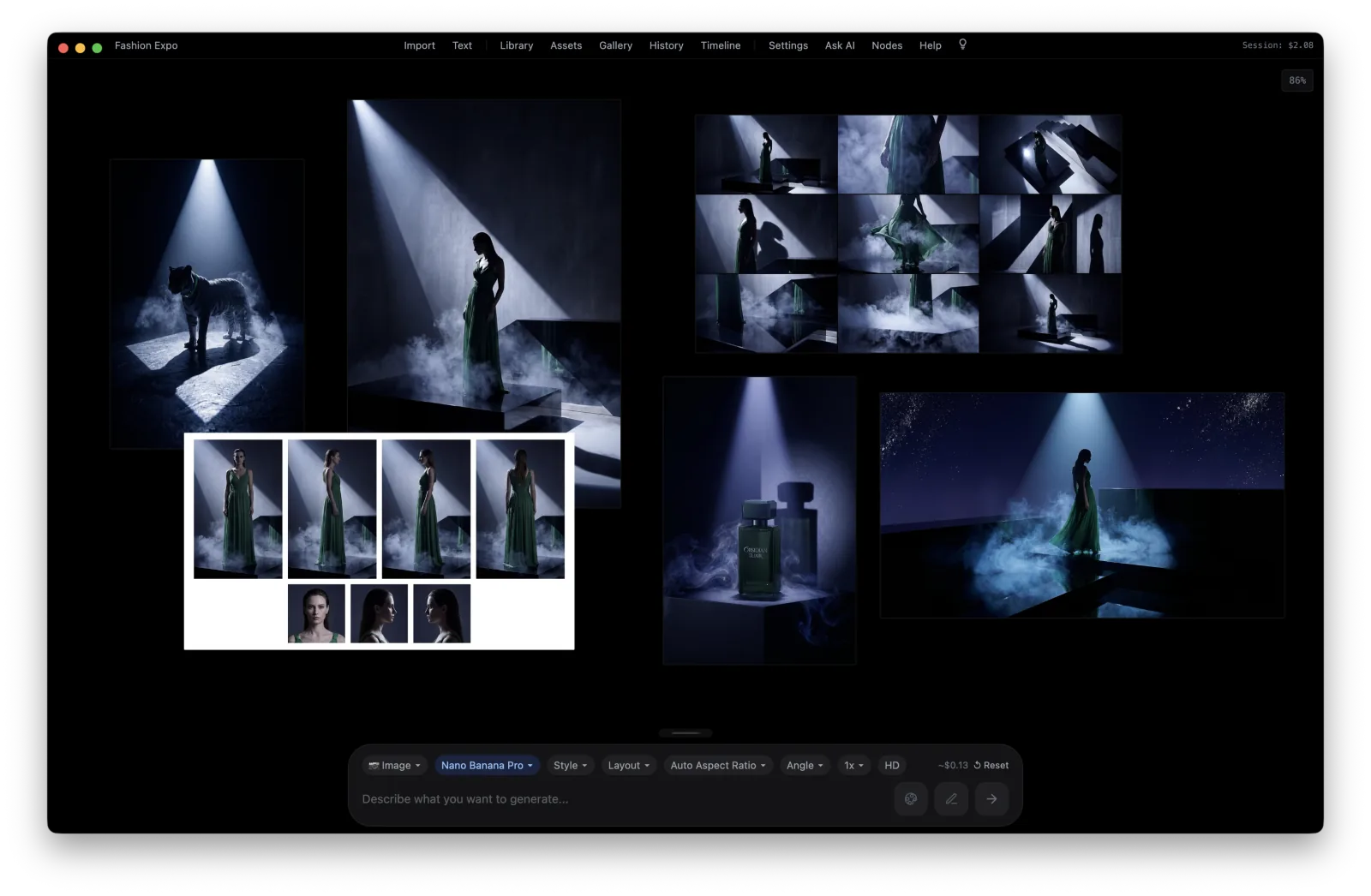
A workspace that holds the whole world
References that hold the line
Pin one image as the anchor. Color, light, grain — treated as the world, not remixed.
Characters that stay characters
Save characters, scenes, and products as reusable assets. Same look every time.
50+ cinematic presets
Giallo, Kodachrome, Jodorowsky, Lynchian — one click each. Or write your own.
A node editor with real power
Wire prompts, references, and outputs into reusable graphs. Build a pipeline once, run it on anything.
Bring it into Claude
Generate by chatting with your assistant
Connect Moondraft to Claude or any MCP client and generate from plain conversation. Pay as you go — only for what you generate. In private beta — join the waitlist.
# Connect Moondraft to Claude
claude mcp add --transport http moondraft \
  https://moondraft.ai/mcp \
  --header "Authorization: Bearer YOUR_KEY"

# then just ask
"generate a hero shot"
No subscription. Pay only for what you generate.
The app is free. Add your API key, generate locally, and pay as you go with credits — that's it.
Moondraft for Mac
- The full canvas + node editor
- Style references & character consistency
- 50+ cinematic look presets
- Runs locally · Apple Silicon · macOS 13+
Pay as you go
- One key powers the app and Claude
- Credits per generation — image, video, more
- Top up only when you need to
- Generate by chatting — no code required
Build the flow once. Run it on anything.
Wire prompts, references, styles, and outputs into a graph. Save it, point it at new input, and the whole pipeline runs again.
Connect the pieces
Drop prompts, reference images, look presets, and outputs as nodes, then connect them into one reusable graph.
Fork and reuse
Split a flow into variants, swap one node, and keep the rest. Reuse a graph across projects without rebuilding it.
Run it on everything
Feed a whole set of inputs through the same pipeline at once — every output stays in the same world.
Most AI tools generate one image at a time. Moondraft builds a world.Built for film, story, and brand teams